
Current component version: 1.0.
API version: 66.0.
KB_ImageDisplay is a reusable Aura component designed for Salesforce Screen Flows. It allows administrators to display images from Static Resources, including files stored inside ZIP resources, with full styling, hover effects, Experience Cloud compatibility, and interactive click behaviour.
Key features of this component:
- Display images from Salesforce Static Resources
- Support for ZIP Static Resources
- Support for SVG files
- Automatic Experience Cloud and internal Salesforce path handling
- Full styling configuration from Flow Builder
- Hover animations and effects
- Optional clickable image behaviour
- Output selected values back to Flow
- Automatic Flow navigation on image click
- Optional hyperlink support
- Responsive image rendering
Configurable Attributes:
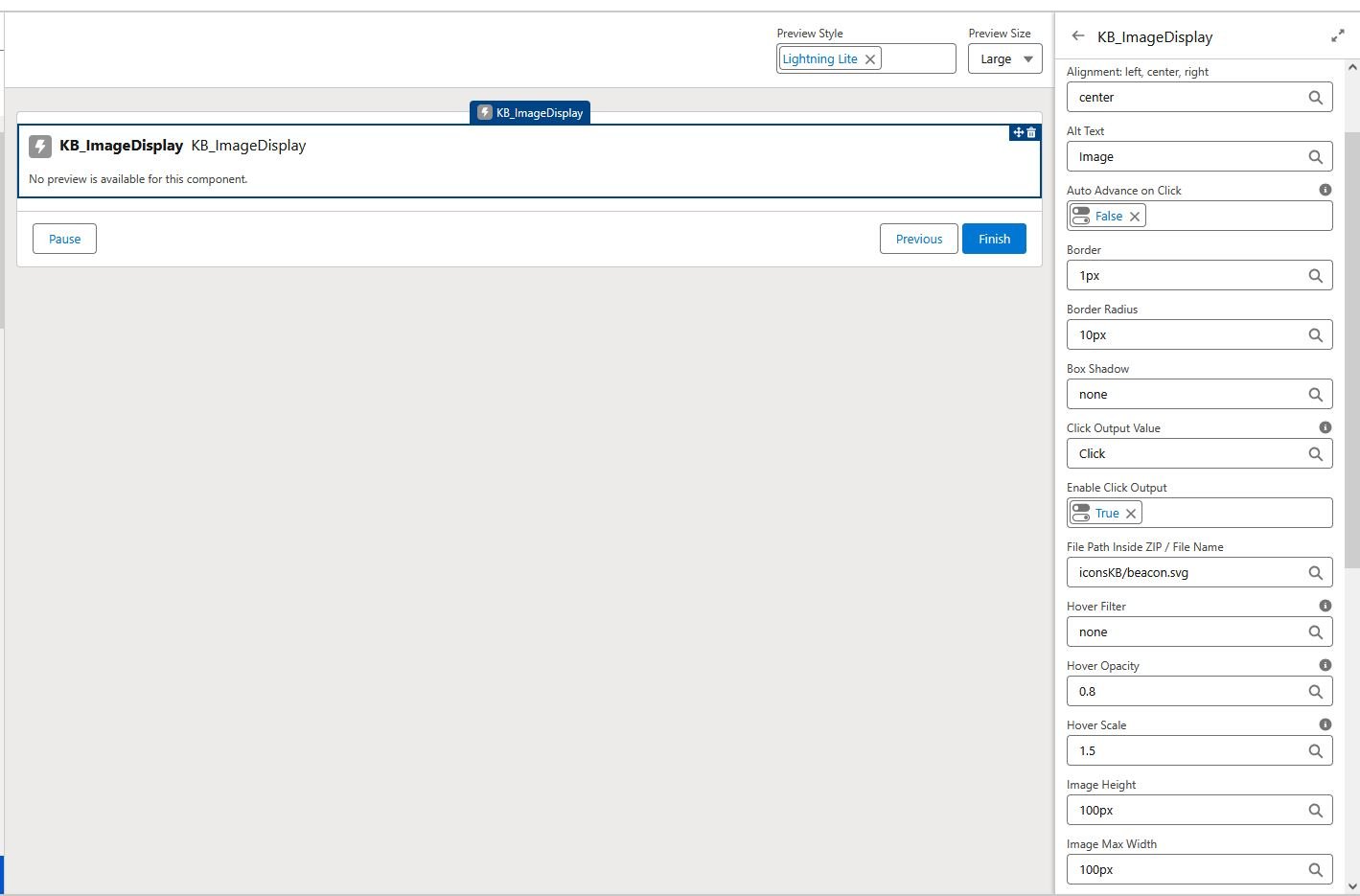
| Attribute | Purpose | Example |
|---|---|---|
| staticResourceName | Name of the Static Resource | iconsKB |
| filePath | Path to file inside ZIP resource | iconsKB/beacon.svg |
| width | Image width | 120px |
| height | Image height | 120px |
| maxWidth | Maximum image width | 100% |
| alignment | Image alignment | center |
| borderRadius | Rounded corners | 12px |
| border | CSS border | 2px solid #0176d3 |
| boxShadow | CSS shadow styling | 0 4px 10px rgba(0,0,0,0.2) |
| hoverScale | Scale effect on hover | 1.05 |
| hoverOpacity | Opacity effect on hover | 0.9 |
| hoverFilter | CSS filter on hover | brightness(0.9) |
| linkUrl | Optional hyperlink URL | https://example.com |
| isClickable | Enable Flow click behaviour | TRUE |
| clickValue | Value returned to Flow | Click |
| autoAdvanceOnClick | Automatically move to next Flow screen | TRUE |
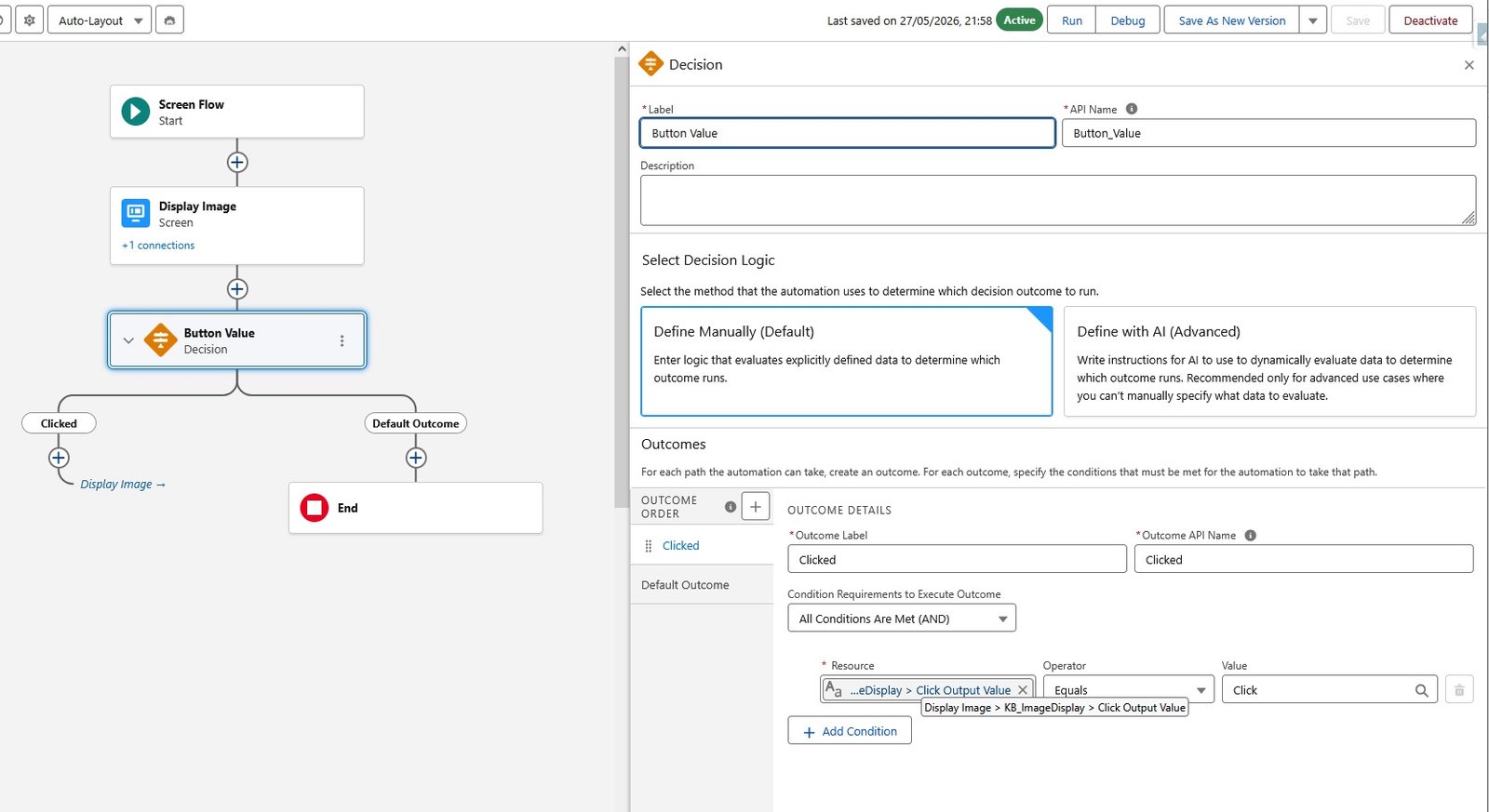
Whenever Auto Advance on Click is enabled a decision element can be used to navigate to the next screen. In the example below, the value is set to “Click”, therefore the output value of the component is set to Click as well, which triggers the decision action:
Download:
Install in Sandbox
Install in Production
⚠️ Disclaimer: I am not affiliated with or employed by Salesforce. All components and examples I share are independent projects and should be thoroughly tested in a Sandbox environment before being deployed to Production. Please ensure they meet your organisation’s security, governance, and business requirements.
Leave a Reply